.
You are here: YourShop SA - Europe > E-Commerce > Features

Get the latest E-Commerce Technologies

Because YourShop permanently implements the latest E-Commerce Technologies, your store will have it too; no more hassle with shop upgrades.

SEO & Multimedia

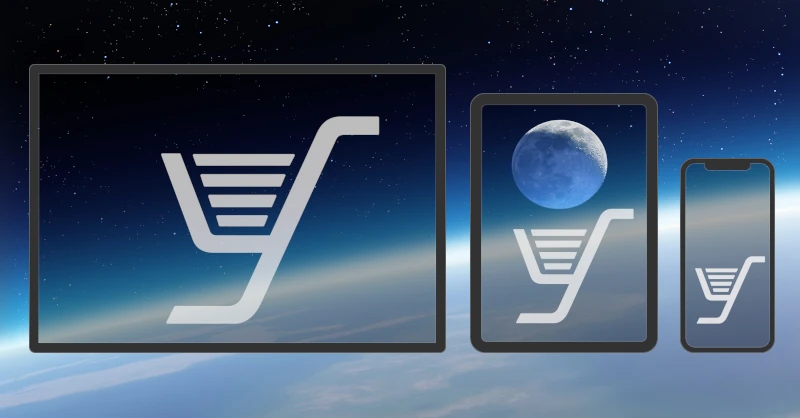
YourShop offers optimal search engine optimization plus support for all multimedia devices. YourShop serves mobile clients with a two column presentation, which contains all the sales-increasing features of the usual YourShop three-column model. Please see for yourself how our customer stores at YourShop.biz will serve you well on your mobile phone, or test-buy at YourShop's demo shop YourShop.net.

Grab Your Clients' Attention

YourShop is a service crafted from the ground up for speed and customer satisfaction. YourShop has the capability to call your clients' attention to special offers, new items, previously viewed items, and related products, all in a manner calculated to generate higher sales for you. Video : [YourShop]
To allow YourShop to excel in doing all this, you simply create a multilevel category structure and add your products to the final categories. You will find it very easy to maintain your product line in a multilevel category structure.

BackOffice

EV SSL securedThe YourShop BackOffice is EV SSL secured. This encryption makes it very difficult for unauthorized persons to view information traveling between computers. It is therefore very unlikely that anyone can spy on your data when you are working in the BackOffice.
Access controlYourShop's access control system lets the shop owner restrict employees' access to the shop's BackOffice and resources. For high-security setups, access to the BackOffice can be limited to one or more fixed IP addresses.
MultilingualThe YourShop BackOffice is multilingual. You may choose your favorite BackOffice language, no matter which FrontStore language you are working in.
Contextual helpYourShop has an extensive, complete and multilingual contextual help system. Next to every YourShop element you will find a help link that opens a pop-up window, in a choice of languages, containing the help information pertaining to that element. Please see our BackOffice intro, BackOffice intermediate and BackOffice advanced videos at YouTube.
FTP accessFTP (with an SSL security extention) access to your account on the YourShop server permits sending and receiving the import/export, pictures, annex and download files.
Quantity administrationYourShop lets you change order status and send a notification of up to 200 orders at once, stock quantity and price of up to 200 products at once, with a minimum number of mouse clicks.
File import/exportImport or Export your categories, products and clients from the WinBIZ ERP or Microsoft Excel (or similar spreadsheet) csv file. This requires the FTP service.
PrintoutsPrint invoices and delivery notes from the BackOffice. YourShop lets you place the invoice or delivery address so that it's in the middle of your envelope's window, and remembers your settings.
Partial invoiceIf activated, and provided that your clients chose to have individual items sent, at additional cost, as soon as each one becomes available, YourShop creates an invoice for each partial delivery.
No downtimeYourShop has a FrontStore database and a BackOffice database. Your web clients cannot see you creating new categories and products, or that you are modifying them, because you are working in the BackOffice database. Once you are satisfied with your work in the BackOffice, you then order YourShop to synchronize the BackOffice database with the FrontStore database. Again, this is a smooth process which does not interrupt your web clients' activities. Video : [create a product]
Shop updateYour shop update is done with your web browser and an Internet connection. The YourShop BackOffice lets you create and maintain categories and products. While creating or updating products, you may upload also the pictures, annex files, and download files. For your convenience if your shop has thousands of products or clients, YourShop allows a file import/export option.
Incremental updateYourShop allows for import and export of a subset of the category, product and client attributes. It remembers the attributes which were exported last time. This is very handy if you always export the same subset of attributes. During import, YourShop modifies the category, product or client if it is already present in your shop. This, for instance, allows you to create your English shop, then export just the category name and description plus the product name, first and second description, give them to your German translator, and import the translation back into YourShop. This way you would already have a perfect bilingual shop.

Checkout

EV SSL securedThe YourShop checkout is EV SSL secured.
AvailabilityYourShop allows for making a payment method available or not, during checkout, depending on the amount due in the shopping cart.
CommissionYou have the capability to require the customer who chooses a certain payment method to pay a fee or receive a reduction. Video : [add a payment method Fee or Reduction]
CouponsProvided you've created at least one coupon, your web-clients can submit coupons during checkout, which is SSL secured to prevent coupon proliferation. YourShop allows coupon types of Percentage or of Amount. The coupons can be tied to a code, clients, products, dates, specific sale, and/or the amount of purchases. You may test-purchase something on the demo-shop, using yourshop as a percentage coupon, or santa cruz as an amount coupon. Video : [create a simple coupon] and : [create a personal coupon]
YourShop permits coupon cumulation. You can activate or disable coupon cumulation in the YourShop BackOffice.
Purchase as a guestYourShop lets your clients buy without having to open an account. Video : [Purchase as a guest]
Customer databaseThe customer database provides your clients with faster checkout after an initial purchase, and lets you easily promote your products.
Order databaseThe order database permits easy inventory, trend analysis, promotion of related products, with you and your clients seeing the history.
Persistent addressDespite an address change, e.g. the client moves or travels, previous purchases remain associated with the unaltered address.
Multi-address shippingYourShop lets your clients send products from the same order to different delivery addresses.
Partial shippingYourShop lets your client choose to have individual items sent, at additional cost, as soon as they each become available.
Order confirmationYourShop sends an e-mail order confirmation to the client and also to the merchant.
Order statusYourShop lets you attribute a special order status and message when your web client pays instantly by PostFinance, Credit Card, or PayPal, or another order status and message when he or she chooses to pay upon receiving the goods.
PostagePostage is calculated upon clients choice of delivery method, the product weights and the delivery address(es). You may organize Postage and VAT on a country or zone basis in the YourShop BackOffice.
PackingYou may adjust the postage with a packing fee. This is useful for complicated products for which the postage, calculated by the product weight, would be too short.
Shipping and handlingYou can define shipping and handling if the postage doesn't cover all the efforts to send the parcel.
Your AccountThe YourShop, «Your Account» is EV SSL secured. It permits clients to add repeat items to their current order from previous purchases, follow their orders, retrieve paid downloadable items, or change their personal settings and preferences.

Categories

NumberYourShop has an unlimited number of categories.
SyntheticYou will probably wonder what this means. The Synthetic Categories lets you gather and group all your Special Offers and all your New Products into a minimalistic category tree. Your Welcome Page with its display is also a Synthetic Category. The Synthetic Categories are automatically calculated from products you have designated as special offers, new products, and from the products which you assign to the welcome page. Video : [create a special offer product]

YourShop recalculates the Synthetic Categories daily. This means that you can plan your upcoming special offers and new product introductions weeks, months, or years ahead. New products only become visible when their designated start date has arrived. Once a new product has passed its assigned «new» duration it becomes just a normal product. Special offers are also normal products outside of their special offer period. Video : [create a new product]
DescriptionIn addition to the category name, YourShop lets you add a category description if it provides some important information about the products in that category, e.g. «All these long playing records are originals.» Video : [add a category description]

The description can be up to 512 characters long, but keep it short because shoppers won't read a long text. YourShop makes the first 64 characters of the de scription visible as a title on the navigation.
Sort ordersYourShop supports alphabetical, individual and mixed category sort order. Video : [professional category sorting]
LevelsCreate product categories in the YourShop BackOffice.
example
Attach products to the final categories. YourShop automatically fills in the intermediate category levels. Video : [create categories]

Products

NumberYourShop allows for an unlimited number of products.
StatesA YourShop product can be set to any 4 states: blocked, normal, special offer and new. See above Synthetic for more information.
StockYourShop handles stock in either blocking mode (out of stock) or eternal mode (never out of stock). You have the capability to show your web-clients the number of each product in stock.
NameThe YourShop product name can be 64 characters long.
BrandYourShop lets you create Brands, and you can make products belong to a Brand. Test here. Perhaps you don't have Brands but another classification; therefore YourShop lets you rename Brand by, e.g., Supplier, Colour, Size, etc. Video : [add a brand]
First title[Product description] is the default title. You are free to leave it or replace it with a more appropriate title.
First descriptionAn initial YourShop product description can be 6144 characters long. A selector permits the first product description to be written: (A) only on the first product page; (B) also on the second product page; (C) partially on the first product page and totally on the second product page; (D) totally on the second product page but only if it cannot completely be written on the first product page.
Second titleYou can provide a second product title and a description if needed for information-rich product detail.
Second descriptionThe second YourShop product description can be 6144 characters long. Video : [create a 2nd product description]
XHTML descriptionsYou can write a subset of XHTML tags in a first and second product description, to better personalize a product. YourShop checks your XHTML for W3C compliancy.
PicturesAny YourShop product can have up to 30 pictures. In the BackOffice, a picture wizard helps you find pictures already used for other products.
If a product has more than one picture, YourShop automatically creates a thumbnail of every picture.
The first product option can be set to change the product thumbnail and corresponding picture, and vice-versa. Test here.
ThumbnailsA YourShop product can have up to 32 thumbnails. Two thumbnails may be specifically added by you, and 30 can be created by YourShop when you introduce product pictures. A thumbnail wizard helps you find thumbnails already used for other products in the BackOffice.
VideoAny product may be accompanied by a video. Test here. Video : [add a product video]
DetailsA YourShop product can have up to 30 product details which are of the form: «name value». Video : [add product details]
OptionsA YourShop product can have up to 30 product options which are of the form «name value; value; value; ...» and the value can have a product price modificator e.g. T-Shirt Size: S [-5.00], M, L [+7.00], XL [+9.00]. Test here. Video : [add product options]
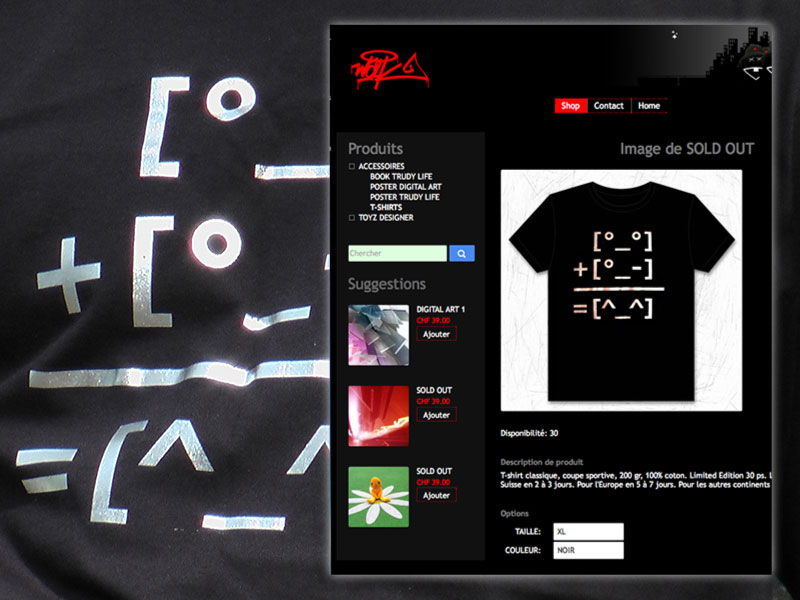
The first product option can change the product picture and thumbnail. As an example, suppose you sell T-Shirts in different colours. Creating a colour option permits your web-clients to set the colour option to [Red], which would make YourShop show the red T-Shirt, etc. Test here.
TableYou may accompany each product by a table of maximum 30 rows and 30 columns. Test here. Video : [add a product table]
File downloadYourShop helps you sell downloadable software, pictures, or other downloadable informational items in a file. During web-clients' checkout, YourShop creates a temporary file-name which is displayed, after payment, in the confirmation HTML page, in the corresponding order viewed by loggin in to «Your Account», and also sent in the confirmation e-mail, and which stays accessible for 3 days; it will then be inaccessible. The temporary file is accessible on an SSL secured server to prevent theft. In the BackOffice a download wizard, for easy administration, helps you locate download files already used for other products. Test here. Video : [add a product download file]
Temporary licenseYourShop allows you to attach a temporary license to a downloadable product, e.g. software.
File uploadPer product, let your clients upload a file during checkout. Let's see an example to understand what this is good for: Buyers upload a picture that could be printed on products like t-shirts, mugs, business cards, etc. Test here. Video : [allow File Upload]
Annex fileProvide your clients a further product description, e.g. by a pdf annex file. In the BackOffice, an annex wizard helps you find annex files already used for other products. Video : [annex an item to a product]
LinkYou may add a link, for instance referring the client to the manufacturer of the product. Video : [add a product link]
Gift noteYourShop lets you offer your clients a gift note for the product. You can make the gift note free, or charge to it. Video : [add a product gift wrap and gift note]
Gift wrapYourShop lets you offer your clients a gift wrap for the product. You can make the gift wrap free, or charge for it. Video : [add a product gift wrap and gift note]
Client textYourShop lets you ask your clients for an answer. As an example, suppose you sell custom embroidered items. Ask your clients for a phrase which you will work into the embroidery for them. Video : [ask your clients for an answer]
DiscountYourShop lets you set a percentage discount for purchase of any item in quantity. Video : [add a product discount]
Cross sellingYourShop enables cross selling and a great wizard in the BackOffice to easily find and associate the corresponding products. Video : [cross selling]
AvailabilityYou can inform your customers about availability of a product by entering, e.g. «within 3 days» in the Availability box.
UnitYou may add a unit, e.g. «per kg» when offering tomatoes.
WeightThe YourShop product weight can nullify or increase the postage. An option in the YourShop BackOffice lets you either show or hide the product weight in the shop product description.
Value added taxYourShop handles vat included, excluded, individual per product, mixed and global per country.
CloningYourShop lets you clone up to 200 products at once. Cloning saves time and effort if you need to create very similar products. Video : [clone a product]
Multiple categoriesYourShop lets a product belong to up to 30 categories. Showing a product in different categories increases its visibility to clients as well as to search engines. Video : [make a product multi category]
PositioningThe YourShop BackOffice allows products be automatically positioned within their categories alphabetically, or lets you position them as you wish, individually.
Products per pageYourShop lets you define the number of products to be shown on a single page, globally for all categories, and also on a per-category basis. YourShop supplies [next] and [last] page links when not all products in a category can be displayed on a single page.
Element placingPlace page elements according to your wishes on the detailed product and picture pages. You can place the page elements individually on every product page, or make a global setting in the tools section.
Show numberYourShop lets you choose to show the product number (identity) or not. Showing it can be useful when selling books, for instance, as clients could be looking for the ISBN number.
List them allIf set: At every category level, YourShop lists all products of the category and its subcategories. If unset: YourShop automatically populates the center column with some products from the current category and its subcategories. YourShop varies the products in order to increase sales.

Miscellaneous

Welcome pageYourShop lets you place several different products on the welcome page, as this shows your customers different entry points. If you wish, on follow-up visits, YourShop can also display on the welcome page those products in which your web-clients previously showed the most interest. Video : [create a welcome page]
Additionally, show the big picture of special offers or new products on the welcome page. Test here.
Product promotionYourShop remembers the products in which your clients have shown interest, and depending on the intensity of interest they've shown, guides them to the same products during their follow up visits to your online shop. Video : [YourShop]
DNS handlingYourShop handles the DNS of your domain name if you wish us to do so.
High Browser CompatibilityAll YourShop web development is compliant with the W3C recommendations. It functions in any browser created since 2001.
MulticurrencyYourShop has a multicurrency implementation which respects country monetary separators e.g. comma, dot, space.
MultilingualThe FrontStore is available in English, German, French and Italian; the BackOffice has three languages: English, German and French.
Permanent shopping cartItems remain in the Shopping Cart for 90 days.
Advanced recycling feesYourShop lets you handle ARF in an included or excluded manner.
RSSRSS : Really Simple Syndication is used to publish frequently updated works, such as Top Sellers, Special Offers & New Products. YourShop calculates the RSS feeds once each hour.
SearchYourShop searches in all product fields as well as in the category name and description, and can narrow down by category if results in more than one category are found.
Statistics HTML flowThese statistics let you easily see the success of an effective category, product and picture combination.
Social BookmarkingYourShop helps you add shop pages to several social bookmarking sites. You, the shop owner, can then check in the YourShop BackOffice, to see how many times your page submissions are published.
Social Bookmarking
Video : [Social Bookmarking]
Google AnalyticsGoogle Analytics is the enterprise-class web analytics solution that gives you rich insights into your website traffic and marketing effectiveness. While Google Analytics usually increases access time, it will not do so with YourShop, as we've created an asynchronous implementation.
Google Conversion TrackingThe Google Conversion Tracking can show you what happens after a customer clicks your ad (they purchased your product for example). By knowing this, you'll also know which keywords are good for your business, allowing you to invest more wisely and boost your return on investment (ROI).
Google MapsGoogle Maps provides high-resolution satellite images for most urban areas. Show your clients your contact address on Google Maps.
Your logoYourShop places your logo in your online shop.
Your coorporate lookYourShop can implement, on the basis of a quote, your special corporate look. Video : [custom looks]
Your siteIf you want the YourShop team to create your web site, to complement your online shop, on the basis of a quote, we will be happy to do so.
Your e-mail addressesIn addition to the order confirmation, help, contact, catalogue and some other 6 e-mail addresses of your choice, you might like to have more e-mail addresses. YourShop can provide you additional e-mail addresses, pop3 accessible.

ERP : Entreprise Ressource Planning

This modular business software takes care of every aspect of business management (orders, billing, reordering, inventory, overseeing production and, managing staff...). YourShop is interfaced with the ERP of WinBIZ. Video : [connect WinBIZ to YourShop] This interface allows you to:
  • select the items you want to post
  • post the descriptions and categories of the articles
  • post the quantity available
  • post the photos associated with the articles
  • post the prices as well as special offers
  • retrieve clients' orders
  • retrieve the addresses of new clients
With just one click, you can access all the orders your online business has received. These orders can then be billed either one-by-one, or categorized by client. You can modify the contents of the orders at any time.

Payment Services

YourShop has access to several Payment Services. Please check out the payment services paragraph for more information, and look at the partners page to see all Payment Service Providers with which YourShop is interfaced.